
The highest-impact controls for any Kubernetes cluster are least-privilege RBAC, a “restricted” Pod Security Admission profile, default-deny NetworkPolicy, encrypted Secrets and etcd, and centralized audit logging paired with runtime detection. Start today by running kube-bench against a security benchmark, turning on audit logging, and applying a restricted profile to one non-critical namespace. Everything else in this guide builds on those five moves.
TL;DR:
- Running kube-bench against the CIS benchmark provides a baseline view of cluster security, which should be reviewed regularly every month.
- Applying a restricted Pod Security Admission profile to at least one namespace first helps identify legacy workloads needing remediation before full enforcement.
- Auditing RBAC bindings to remove excessive privileges and treating all service accounts as credentials reduces the risk of privilege escalation.
- Enabling mutual TLS for internal component communication and disallowing anonymous API server access minimizes attack surfaces within the control plane.
- Implementing default-deny NetworkPolicies across all namespaces and layering tiered allow-lists prevents lateral movement from compromised pods.
Table of Contents
- Kubernetes Security Basics: The Shared-Responsibility Model and Request Lifecycle
- Auditing and Hardening RBAC and Service Accounts
- What Are Pod Security Admission Profiles and securityContext Settings?
- How Do You Segment a Kubernetes Network With NetworkPolicy?
- Protecting etcd and Managing Secrets Correctly
- Securing the Image Supply Chain Before Anything Reaches the Cluster
- Runtime Detection, Audit Logs, and Incident Response Basics
- Hardening Nodes and the Kubelet Against Container Escape
- Enforcing Policy With Admission Controllers
- A Step-by-Step Runbook for Your First Hardening Pass
- What Belongs in Total Cyber Academy’s Hands-On Kubernetes Labs
- Supply Chain Security Beyond Scanning Images
- Securing Communication Between Cluster Components
- Logging, Monitoring, and SIEM Integration for Early Detection
- Backup and Disaster Recovery With Security in Mind
- Which Compliance Frameworks Apply to Kubernetes Security?
- Pragmatic Priorities for Anyone Starting Out
- Practice Kubernetes Security Basics in a Real Lab Environment
- Sources
- FAQ
Kubernetes Security Basics: The Shared-Responsibility Model and Request Lifecycle
Kubernetes security splits across five ownership zones: the cloud or infrastructure provider, the control plane, the workloads you deploy, the container images you build, and the applications running inside them. Miss the boundary and you either duplicate effort or leave a gap nobody owns. The official security checklist treats this division as the starting frame for every other control.
Every request to the API server passes through three gates in order: authentication confirms who you are, authorization decides what you can do, and admission enforces policy on the object itself. This sequence matters because RBAC only covers the second gate. A user can be authorized to create a Pod and still get blocked at admission if that Pod violates a Pod Security Admission profile, or a custom policy.
A few practical habits pay off immediately:
- Prefer OIDC integration for human users over long-lived static tokens.
- Use bound, time-limited service account tokens instead of the old auto-mounted defaults.
- Check
--authorization-modeon your API server. The authorizer order it defines determines which rules actually get evaluated first, and disordering can silently widen access.
Auditing and Hardening RBAC and Service Accounts
RBAC is additive. There are no deny rules in Kubernetes, so the only way to remove a permission is to delete the grant that created it. That single fact explains why clusters accumulate excess privilege over time: someone adds a broad ClusterRoleBinding to unblock a deploy, and it never gets revisited.
Four Kubernetes objects do the work: Role and ClusterRole define permissions, while RoleBinding and ClusterRoleBinding attach those permissions to users, groups, or service accounts. A Role scopes to one namespace; a ClusterRole can apply cluster-wide or be reused across namespaces.
To audit what you already have, work through these steps in order:
- List every ClusterRoleBinding and flag any that grant
cluster-adminto a service account rather than a human identity. - Run
kubectl auth can-i --list --as=system:serviceaccount:<namespace>:<name>for your riskiest workloads to see their real effective permissions. - Run kube-bench or a dedicated RBAC audit tool to catch wildcard verbs and resources you’d otherwise miss by eye.
- Rebuild any overly broad Role using the narrowest verb and resource list the workload actually needs, then delete the old binding.
Pro Tip: Treat every service account like a credential, not a label. If a Pod doesn’t call the API server, set automountServiceAccountToken: false and remove one entire attack path.
Build a CI-driven access review into your release cadence. Rotate credentials on a schedule rather than waiting for an incident to force it, and never let cluster-admin attach to anything that isn’t a trusted human operator.
What Are Pod Security Admission Profiles and securityContext Settings?
Kubernetes defines three Pod Security Standards: privileged (no restrictions), baseline (blocks known privilege escalations), and restricted (enforces current Pod hardening best practices). Most application workloads belong in restricted; only genuinely privileged system components, like some CNI or storage agents, need anything looser.
Inside the Pod spec itself, a handful of securityContext fields do most of the work:
runAsNonRoot: trueprevents the container from running as UID 0.allowPrivilegeEscalation: falseblocks a process from gaining more privilege than its parent.readOnlyRootFilesystem: truestops an attacker from writing a backdoor to disk.capabilities: drop: ["ALL"]removes Linux capabilities a typical app container never needs.seccompProfile: type: RuntimeDefaultrestricts which syscalls the container can make.
These specific fields are drawn from current Pod Security Standards guidance and cover the settings most audits check first.
Rolling restricted enforcement into a live cluster without breaking things takes patience. Test the profile in staging first, use a dry-run admission webhook to see what would be rejected before you enforce it, and move namespaces to restricted one at a time rather than flipping a cluster-wide switch.
Pro Tip: Label a namespace pod-security.kubernetes.io/enforce=restricted and watch the audit log, not the enforce log, for a week before you commit. You’ll catch legacy workloads that need remediation instead of an outage.
How Do You Segment a Kubernetes Network With NetworkPolicy?
By default, every Pod in a cluster can talk to every other Pod. That flat network is exactly what lets one compromised container pivot sideways into your database tier. OWASP’s guidance on Kubernetes network segmentation is blunt about this: dynamic container IPs make segmentation harder than in a traditional data center, which is exactly why default-deny NetworkPolicy objects matter so much.
The pattern that works in practice looks like this:
- Apply a default-deny NetworkPolicy to every namespace as a baseline, blocking all ingress and egress until you explicitly allow it.
- Build tiered allow-lists that mirror your architecture: frontend can reach backend, backend can reach the database, and nothing skips a tier.
- Add egress controls that block outbound traffic to the cloud metadata API from Pods that have no legitimate reason to query it.
- Confirm your CNI plugin actually enforces NetworkPolicy. Not all of them do by default, and a policy that silently does nothing is worse than no policy at all.
Service meshes add mutual TLS and finer-grained authorization on top of NetworkPolicy, but they’re a layer, not a replacement. Start with default-deny at the namespace level before adding mesh-level controls on top.
Protecting etcd and Managing Secrets Correctly
Write access to etcd is equivalent to root on the entire cluster. That’s not an exaggeration. It’s how OWASP’s Kubernetes cheat sheet frames it, because etcd stores every Secret, every ConfigMap, and the full cluster state in one place.
Three controls protect that store directly:
- Isolate etcd behind a firewall so only API servers can reach it, never worker nodes or user workloads.
- Enforce mutual TLS between the API server and etcd so a network-level attacker can’t simply intercept traffic.
- Enable encryption at rest for Secrets so a stolen etcd snapshot doesn’t hand over plaintext credentials.
On the Secrets side, avoid injecting credentials as environment variables, since they leak into logs and process listings far too easily. Mount them as files instead, or better, pull them from an external store like HashiCorp Vault through the CSI Secrets Store driver. Rotate keys frequently and keep certificate lifetimes short.
Backups deserve the same scrutiny as the live system. An unencrypted etcd snapshot sitting in object storage is a full cluster compromise waiting to be found, and etcd’s own lifecycle guidance treats backup encryption as a non-negotiable part of securing a cluster, not an afterthought.
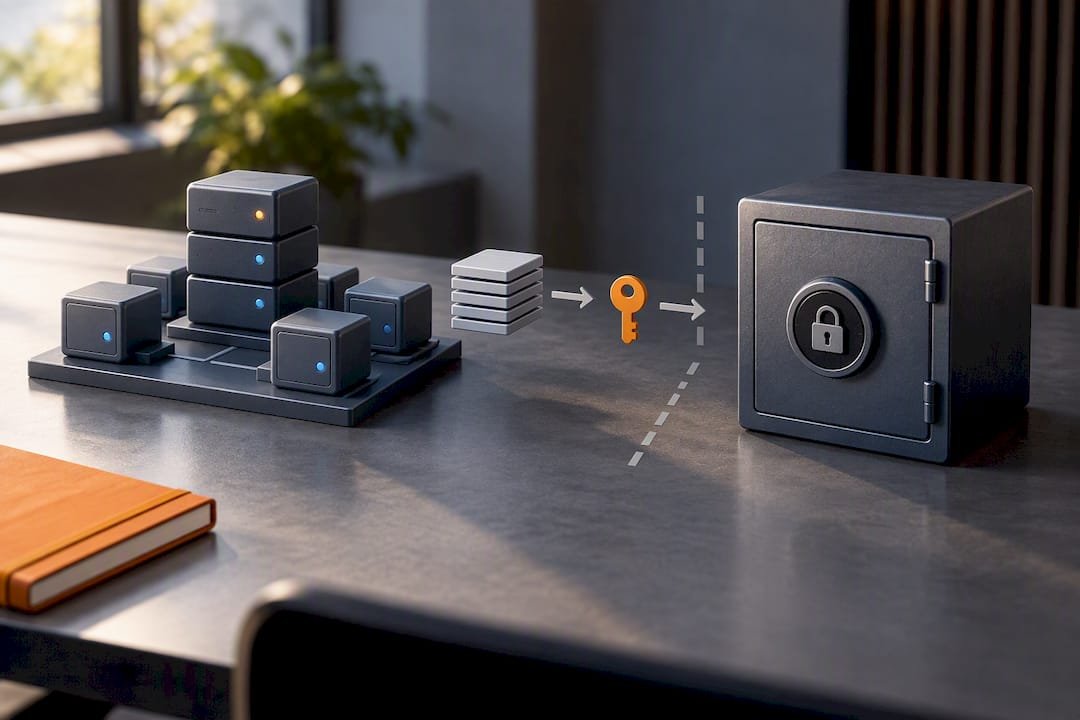
Securing the Image Supply Chain Before Anything Reaches the Cluster
The safest vulnerability is the one that never gets built into an image in the first place. Shift that check into CI rather than discovering it in production. Our security integration in the SDLC approach applies here directly: scanning happens before a merge, not after a deploy.
A workable pipeline includes:
- Scan every image for known CVEs during the CI build, and block the pipeline on high or critical severity findings rather than just logging them.
- Sign images with Cosign and publish a Software Bill of Materials so you know exactly what’s inside every artifact you ship.
- Use immutable tags. A
latesttag that can silently change underneath you defeats half the point of scanning. - Pull only from a private, access-controlled registry, never directly from public registries in production.
Admission-time verification closes the loop. Require signature verification or a valid attestation before the cluster will run an image at all, so even a compromised CI credential can’t push an unsigned artifact straight into production.
Runtime Detection, Audit Logs, and Incident Response Basics
Preventive controls fail eventually. That’s why audit logging and runtime detection exist as the layer that catches what RBAC, PSA, and NetworkPolicy miss. Centralize and retain Kubernetes audit records somewhere outside the cluster itself, so an attacker who gains access can’t simply delete the evidence of how they got in.
Runtime detection tools like Falco attach at the syscall level using eBPF, watching process and file activity without modifying the containers themselves, according to Falco’s own threat detection model. Rules worth enabling from day one include:
- An unexpected shell spawned inside a container that should never need one.
- A write to
/etcor another sensitive path inside a running Pod. - Execution of a package manager like
aptorapkat runtime, which almost always signals post-compromise tooling installation.
When an alert fires, triage fast: confirm the rule against the Pod’s expected behavior, then contain by revoking the relevant service account token and isolating the namespace with an emergency NetworkPolicy. Collect the Pod’s logs, the audit trail, and a process snapshot before you kill anything, since forensic data disappears the moment the container terminates.
Pro Tip: Run Falco in monitoring mode for two weeks before you enable blocking actions. You need a baseline of normal noise before you can trust an alert enough to act on it automatically.
Hardening Nodes and the Kubelet Against Container Escape
Container escapes almost always chain through a weak node, not a weak Pod. Start with the operating system: use a minimal, purpose-built image for worker nodes, patch it on a fixed schedule, and enable AppArmor or SELinux wherever your distribution supports it.
The kubelet itself is a common soft spot. Enable kubelet authentication and authorization rather than leaving the API anonymous, and never expose kubelet’s read-only port to anything outside the cluster network. The NodeRestriction admission controller limits what a kubelet can modify about its own node object, which blocks a compromised node from tampering with cluster-wide labels or taints.
At the Pod level, three settings deserve automatic rejection in application namespaces:
hostPathvolumes, which give a container a direct window into the host filesystem.hostPIDandhostIPC, which expose host process and inter-process communication namespaces.hostNetwork, which strips away the Pod’s own network isolation entirely.
Sensitive workloads, anything handling regulated data or high-value credentials, belong on dedicated, isolated nodes rather than sharing capacity with general application traffic.
Enforcing Policy With Admission Controllers
Validating admission controllers accept or reject an object outright. Mutating admission controllers change the object before it’s stored, injecting a sidecar or setting a default. Kubernetes now supports CEL-based ValidatingAdmissionPolicy objects, which let you write policy logic directly in the API without deploying a separate webhook server.
Common policies worth enforcing early:
- Require a valid image signature or attestation before a Pod can be created.
- Enforce a minimum securityContext, rejecting any Pod missing
runAsNonRootor running with escalated privileges. - Deny
hostNetwork: trueoutright in every application namespace.
Roll these out the same way you rolled out restricted PSA: dry-run first so you can see what would be rejected without breaking anything live, then enforce in a low-stakes test namespace before expanding cluster-wide. Skipping the dry-run step is the single most common reason admission policy rollouts turn into unplanned outages.
A Step-by-Step Runbook for Your First Hardening Pass
This is the order that avoids breaking things while still closing the biggest gaps fast, based on the hardening flow documented in this handbook:
- Run kube-bench against the CIS Kubernetes Benchmark to get a baseline score.
- Apply the restricted Pod Security Admission profile to one test namespace and confirm no workload gets rejected unexpectedly.
- Audit RBAC bindings, remove any
cluster-admingrants on service accounts, and rebuild roles to least privilege. - Confirm etcd encryption at rest is enabled and verify with a manual snapshot inspection.
- Turn on audit logging and route it to storage outside the cluster.
- Apply a default-deny NetworkPolicy to every namespace, then layer in tiered allow rules.
- Deploy Falco in monitoring mode and let it run for two weeks before enabling blocking rules.
| Step | Verification | Expected outcome |
|---|---|---|
| kube-bench scan | Review the generated report | Baseline CIS pass/fail list |
| Restricted PSA test | kubectl get events in test namespace |
No unexpected Pod rejections |
| RBAC audit | kubectl auth can-i --list |
No unused cluster-admin bindings |
| Audit logging | Query central log store | Requests visible outside cluster |
Repeat the kube-bench scan monthly, fold RBAC review into your CI release cadence, and rehearse an incident response scenario at least twice a year so the runbook isn’t the first time your team has used it under pressure.
What Belongs in Total Cyber Academy’s Hands-On Kubernetes Labs
Reading a checklist and running it under pressure are different skills. That gap is exactly why lab practice matters: RBAC audits, Falco rule tuning, and CI-based image scanning all behave differently once you’re troubleshooting a broken Pod at 2 a.m. instead of following a guide.
Total Cyber Academy’s Cybersecurity Engineer Program builds toward exactly this kind of practical fluency, with lab exercises that mirror the RBAC, Pod Security, and runtime detection controls covered above. Our security integration in the SDLC course maps directly onto the image scanning and CI enforcement patterns in this guide, and our AWS Cloud Practitioner overview fills in the identity and IAM context that OIDC-based Kubernetes authentication depends on. A short home lab, built on a free-tier cluster, is enough to run every command in this guide safely.
Supply Chain Security Beyond Scanning Images
Image scanning catches known vulnerabilities in the final artifact, but it says nothing about how that artifact got built. A CVE scanner won’t flag a compromised build server, a tampered dependency, or a malicious commit that made it through review because nobody checked the diff carefully enough.
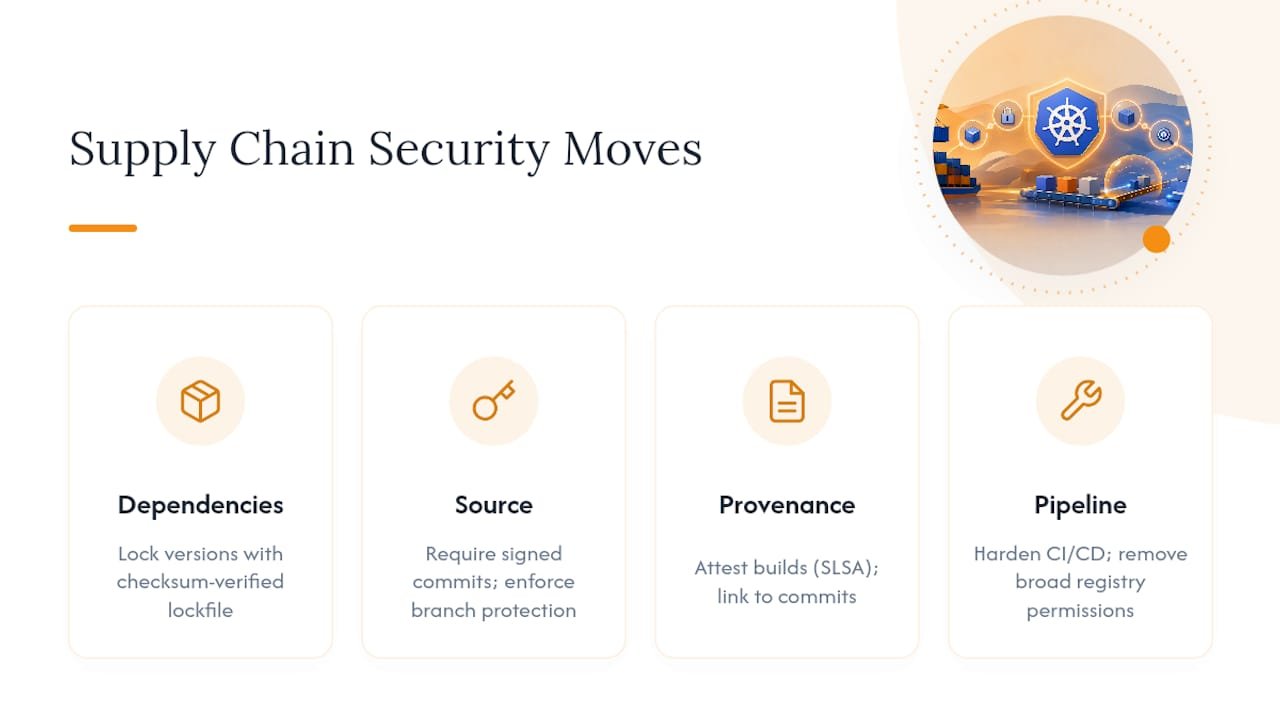
Dependency validation closes part of that gap. Lock dependency versions with a checksum-verified lockfile rather than allowing floating version ranges, and treat any dependency update as a change that needs its own review, not an automatic merge. Pin transitive dependencies too. A vulnerability rarely enters through the package you chose directly; it usually rides in through something that package depends on three layers down.
Source code validation matters just as much as the build artifact. Require signed commits so you can verify who actually authored a change, and enforce branch protection rules that block a direct push to your main branch without review. Static analysis tools that scan for hardcoded secrets or unsafe patterns catch issues before they ever reach a container image, which is considerably cheaper than catching them after deployment.
Build provenance ties the whole chain together. An SBOM tells you what’s inside an image, but a provenance attestation tells you how it got there: which pipeline built it, from which commit, using which build steps. Frameworks like SLSA formalize these attestations so a downstream admission controller can verify not just that an image is signed, but that it came from a trusted build process rather than an attacker who somehow obtained a signing key.
Treat your CI/CD pipeline itself as a production system that needs hardening. A pipeline with overly broad permissions to your registry or cluster is a single point of failure that bypasses every other control in this guide.
Securing Communication Between Cluster Components
Every core control-plane component talks to the others constantly, and each of those channels is a potential attack surface if left unencrypted or unauthenticated. The kube-apiserver sits at the center of that traffic, brokering requests between the scheduler, the controller manager, etcd, and every kubelet on every node.
Mutual TLS should protect every one of those internal connections, not just the ones facing external clients. The scheduler and controller manager both authenticate to the API server using their own credentials rather than sharing a generic identity, which limits the blast radius if one component’s credentials leak. Neither should ever need direct network access to etcd; only the API server talks to etcd directly, and that connection needs its own mTLS pair, isolated from the rest of cluster traffic.
The kube-apiserver itself deserves the tightest scrutiny of any component, since it’s the single chokepoint every other piece of the control plane and every user request passes through. Disable anonymous authentication on the API server, restrict its network exposure to a private subnet or a controlled ingress point rather than a public IP, and rotate its serving certificates on a defined schedule rather than letting them run indefinitely.
Component-to-component authentication should follow the same least-privilege logic as RBAC for users. The controller manager doesn’t need the same permissions as the scheduler, and neither needs blanket cluster-admin access just because they’re “trusted” system components. Treat their credentials with the same rotation and monitoring discipline you’d apply to a human administrator account, because a compromised control-plane component is functionally equivalent to a compromised administrator.
Logging, Monitoring, and SIEM Integration for Early Detection
Audit logs and Falco alerts are only useful if something is actually watching them. A cluster generating gigabytes of audit records that nobody reviews is functionally the same as having no logging at all, just with a bigger storage bill attached.
Centralize logs outside the cluster itself, ideally into a system an attacker who compromises the cluster can’t also reach and erase. That separation matters more than almost any single detection rule, because the first thing a competent attacker does after gaining a foothold is look for the logs and try to clear them.
Feeding Kubernetes audit logs and Falco alerts into a SIEM platform turns isolated signals into correlated ones. A single failed authentication attempt against the API server means little on its own. That same event correlated with an unusual kubectl exec into a production Pod ten minutes later, followed by an outbound connection to an unfamiliar IP, tells a very different story. SIEM correlation rules are what catch that pattern automatically instead of relying on someone noticing three unrelated alerts in three different dashboards.
Prioritize a handful of event types for SIEM ingestion: authentication failures against the API server, any exec or attach into a running Pod, changes to RBAC bindings, and every Falco alert regardless of severity. Tune alert thresholds gradually. A SIEM that fires constantly trains your team to ignore it, which defeats the entire purpose of centralizing the signal in the first place.
Retention policy matters as much as collection. Set audit log retention long enough to support a forensic investigation that starts weeks after the actual breach, since attackers routinely maintain quiet access for extended periods before taking any action that triggers an alert.
Backup and Disaster Recovery With Security in Mind
A backup strategy that ignores security creates a second attack surface identical to the one you just spent this whole guide hardening. An unencrypted etcd snapshot sitting in a poorly secured storage bucket hands an attacker the exact same access as compromising the live cluster, just with worse detection odds since nobody’s watching a backup bucket as closely as production traffic.
Encrypt every backup at rest, using a different key management path than your live cluster encryption where practical, so a single compromised key doesn’t unlock both your production data and every historical snapshot. Store backups in a location with its own access controls and its own audit trail, separate from the credentials that manage the live cluster.
Test restores regularly, not just to confirm the backup works, but to confirm the restore process itself doesn’t reintroduce a vulnerability you already patched. Restoring an old etcd snapshot can silently roll back a Secret rotation or an RBAC fix if you’re not deliberate about what gets restored and what gets left alone.
Disaster recovery planning should assume the disaster might be an active compromise, not just hardware failure. A recovery runbook written only for “the data center lost power” scenarios often skips the step of rotating every credential and certificate before bringing a restored cluster back online, which means a restored cluster can reintroduce the same compromised access an attacker had before the incident. Build credential rotation into the recovery process itself, not as an optional follow-up step after service is already restored.
Which Compliance Frameworks Apply to Kubernetes Security?
The CIS Kubernetes Benchmark is the most widely adopted baseline, and it’s the one kube-bench implements directly, giving you an automated score against a recognized standard rather than a subjective self-assessment. It covers control-plane configuration, node settings, RBAC posture, and Pod security policy in enough granular detail that most organizations use it as the floor, not the ceiling, of their compliance program.
NIST guidance, particularly the frameworks covering container and microservice security, adds a broader risk-management lens on top of CIS’s specific configuration checks. Where CIS tells you exactly which flag to set on the kubelet, NIST-style guidance frames the underlying risk categories, supply chain integrity, identity management, and monitoring, that a mature program needs to address regardless of the specific tool doing the enforcement.
Industry-specific frameworks layer on top of both. Organizations handling payment data, healthcare records, or government workloads typically need to map Kubernetes-specific controls back to PCI DSS, HIPAA, or FedRAMP requirements, and none of those frameworks were written with container orchestration in mind. Translating “encrypt data at rest” into “enable etcd encryption and CSI Secrets Store integration” is work every regulated team ends up doing manually.
The Kubernetes application security checklist itself is worth treating as a living document rather than a one-time audit. Controls that satisfied a framework’s requirements a year ago may not hold up against a newer version of the same standard, particularly as Pod Security Admission and CEL-based policy continue to evolve. Revisit your mapping between internal controls and whichever framework applies at least once a year, not just when an auditor asks for evidence.
Pragmatic Priorities for Anyone Starting Out
If you only fix three things, fix RBAC, Pod security, and runtime detection, in that order. RBAC stops the blast radius of a stolen credential. Pod Security Admission stops a compromised container from becoming a compromised node. Runtime detection catches whatever slips past both.
The most common beginner mistake is enforcing restricted PSA cluster-wide before testing it, which breaks legitimate workloads and teaches teams to distrust security tooling. The second is treating a CIS scan as a one-time project instead of a recurring habit.
Build a home lab, break it on purpose, and fix it using this runbook. That repetition is what turns a checklist into a reflex.
— Alden
Practice Kubernetes Security Basics in a Real Lab Environment
Reading about RBAC audits and Falco rules only gets you so far. The gap between knowing a control and confidently deploying it under pressure closes in a lab, not a browser tab. Hands-on practice with live mentorship from cybersecurity professionals is built into these courses, rather than relying solely on self-paced video content.
The Cybersecurity Engineer Program walks you through cluster hardening, access control, and threat detection labs alongside instructor support and career guidance, so the skills in this guide turn into interview-ready experience. If you want to start narrower, the full on-demand course catalog covers foundational certifications like CompTIA Security+ that build the identity and network fundamentals this guide assumes. Browse the catalog and pick the course that matches where you are right now.
Sources
For command-level detail beyond this guide, these five sources are worth bookmarking:
- Security checklist | Kubernetes
- Kubernetes Security Cheat Sheet | OWASP
- How to secure a Kubernetes cluster handbook | freeCodeCamp
- K05 — Missing network segmentation controls | OWASP Kubernetes Top 10
- Kubernetes RBAC best practices | Wiz Academy
FAQ
What Is the First Step in Kubernetes Security Basics?
Run kube-bench against the CIS Kubernetes Benchmark to get a scored baseline before changing anything. That report tells you which gaps matter most instead of guessing where to start.
Is RBAC Enough to Secure a Kubernetes Cluster?
No. RBAC only controls the authorization step of the request lifecycle; a fully hardened cluster also needs Pod Security Admission, default-deny NetworkPolicy, encrypted Secrets, and runtime detection working together. Kubernetes’ own security checklist treats RBAC as one layer among several, not a complete posture.
What’s the Difference Between Baseline and Restricted Pod Security?
Baseline blocks known privilege-escalation paths while still allowing some flexibility; restricted enforces current Pod hardening best practices and is recommended for most application workloads. Privileged, the third profile, removes restrictions entirely and should be reserved for trusted system components only.
How Does Falco Detect Threats Kubernetes Can’t Block?
Falco attaches at the syscall level using eBPF, watching for behavior like an unexpected shell or a write to /etc that preventive controls never see coming. This runtime detection approach catches active exploitation after it’s already bypassed RBAC and admission controls.
Where Can I Practice These Kubernetes Security Skills Hands-On?
Total Cyber Academy’s Cybersecurity Engineer Program includes lab exercises covering RBAC audits, Pod hardening, and runtime detection with instructor mentorship. Current pricing for individual on-demand courses is available on the course catalog page.