
An IT career pathway is a structured sequence of education, certifications, and hands-on experience that moves you from an entry-level technology role toward progressively higher levels of responsibility and specialization. It is not a single job title. It is a route, and every route in IT starts somewhere concrete.
The main IT pathways break down into six broad lanes:
- Computer support and help desk
- Cybersecurity
- Networks and systems administration
- Software development
- Web development
- Data and analytics, plus cloud/DevOps
If you are standing at the starting line right now, the single best next step is this: pick one pathway based on your interests and aptitude, then spend the next 0 to 3 months completing a beginner certification or a starter lab project tied to that path. Momentum beats indecision in this field, and a finished CompTIA A+ study plan or a working GitHub repository will do more for your résumé than another month of research.
Key Takeaways
An IT career pathway succeeds when you pair one certification at a time with real, documented hands-on projects, following a phased roadmap rather than chasing every credential at once.
| Point | Details |
|---|---|
| Pick one pathway first | Choose based on your skills, interests, and market demand, then commit for at least 6 to 12 months before switching. |
| Start with one certification | CompTIA A+, Network+, or Security+ typically opens the most entry-level doors depending on your path. |
| Build a portfolio project immediately | A home lab, GitHub repository, or CTF writeup proves competence faster than credentials alone. |
| Follow the phased roadmap | Use the 0 to 12 month, 1 to 3 year, and 3+ year milestones to sequence learning and avoid drift. |
| Network deliberately | Informational interviews and professional communities open doors that applications alone rarely do. |
| Consider hands-on training | Totalcyber’s instructor-led labs and certification prep help beginners and career changers turn study into job-ready skill. |
Table of Contents
- What Is an IT Career Pathway and Why Does It Matter?
- What Are the Main IT Career Pathways?
- How Do People Actually Get Their First IT Job?
- Which Certifications and Training Actually Matter?
- How Do You Choose the Right IT Pathway for You?
- What Does a Realistic Starter Roadmap Look Like?
- How Do You Get Real Experience Without a Job Yet?
- How Do You Move from Junior to Senior IT Roles?
- What Do IT Salaries and Job Growth Actually Look Like?
- Why Does Hands-On Training Actually Accelerate Career Entry?
- What Do I Wish Every Beginner Understood About This?
- Where Total Cyber Academy Fits Into Your Pathway
- Sources
What Is an IT Career Pathway and Why Does It Matter?
An IT career pathway works because it turns a vague ambition (“I want to work in tech”) into a mapped sequence of achievable steps. The Urban Institute defines a career pathway as a schematic series of manageable education and training steps aligned to industry needs, each one providing a clear advancement opportunity rather than a guess about what comes next. That framing matters more in IT than in most fields, because technology roles change fast enough that “just get a degree and see what happens” leaves too much to chance.
Four benefits explain why pathways beat ad hoc job hunting:
- Clearer progression — you know which certification or skill unlocks the next role, instead of applying blindly.
- Employer alignment — pathways are typically built around skills employers already screen for, so your effort maps to actual hiring criteria.
- Cost-effective learning — you invest in the certifications and training that matter for your specific target role, not a scattershot of unrelated courses.
- Mobility across roles — foundational IT skills (networking, operating systems, troubleshooting) transfer between pathways, so an early misstep is rarely a dead end.
Picture the sequence as a simple chain: education or self-study leads to an entry role, the entry role builds skills through real work, and those skills eventually branch into specialization or leadership. Each link depends on the one before it. Skipping straight from “interested in tech” to “senior cloud architect” does not happen. Skipping from “help desk technician with a Security+ certification” to “SOC analyst” happens constantly.
What Are the Main IT Career Pathways?
Seven pathways account for most of the roles employers hire for, and each one fits a different kind of thinker.
- Computer support / help desk. Entry roles: help desk technician, IT support specialist. Core skills: troubleshooting, customer communication, ticketing systems. Common certification: CompTIA A+. Best for people who like solving varied problems and talking to end users. Outlook: consistently high entry-level demand because nearly every organization needs support staff.
- Cybersecurity. Entry roles: SOC analyst, security operations technician. Core skills: network fundamentals, threat detection, incident response. Common certifications: CompTIA Security+, EC-Council, ISC2. Best for detail-oriented people who enjoy investigation. Information security analysts rank among the higher-paying computer occupations tracked by the Bureau of Labor Statistics, and a breakdown of cybersecurity specializations shows how varied the sub-fields get once you move past the analyst level.
- Networks and systems administration. Entry roles: junior network technician, systems admin. Core skills: routing, switching, server management. Common certification: Cisco CCNA. Best for people who like infrastructure and hands-on hardware work. Network and computer systems administrators install and maintain the backbone most other IT work depends on.
- Software development. Entry roles: junior developer, QA analyst. Core skills: a programming language, version control, debugging. Certifications matter less here than a portfolio. Software developers build and test the applications organizations run on. Best for people who enjoy logic puzzles and iterative building.
- Web development. Entry roles: junior front-end or back-end developer. Core skills: HTML/CSS, JavaScript, responsive design. Web developers often break in with a portfolio site rather than a degree. Best for visually minded people who also like code.
- Data and analytics. Entry roles: data analyst, BI analyst. Core skills: SQL, spreadsheet modeling, basic statistics. Best for people who like finding patterns in numbers and explaining them clearly.
- Cloud / DevOps. Entry roles: cloud support associate, junior DevOps engineer. Core skills: AWS or Google Cloud fundamentals, scripting, automation concepts. Certifications: AWS Cloud Practitioner, Google Cloud Digital Leader. Best for people who already have some systems or development background and want to specialize in scalable infrastructure.
How Do People Actually Get Their First IT Job?
Most beginners overestimate how much is required to land a first role, and underestimate how much a focused three to six months of preparation can do. The entry point is rarely a four-year degree. It is usually a mix of one certification, one demonstrable project, and enough troubleshooting vocabulary to survive an interview.
| Entry Role | Minimum Requirements | Portfolio Example |
|---|---|---|
| Help desk technician | CompTIA A+ or equivalent knowledge, basic OS troubleshooting | Documented home-lab ticket log or personal PC repair history |
| Junior developer | Proficiency in one language, understanding of Git | Two to three completed projects on GitHub |
| Junior systems administrator | CompTIA Network+ or CCNA fundamentals, home-lab experience | Configured virtual network in a lab environment (Packet Tracer or GNS3) |
| SOC analyst | CompTIA Security+, familiarity with SIEM tools | Completed capture-the-flag challenges or a security lab writeup |
| Data analyst | SQL proficiency, spreadsheet modeling | Public dashboard or analysis project (Tableau, Power BI) |
A realistic upskilling window for most of these roles runs 3 to 6 months if you study consistently, and closer to 6 to 12 months if you are balancing a full-time job or family obligations while learning. Neither timeline is a race. What matters is finishing.
Your first job will rarely match the title you imagined. Help desk work involves a lot of password resets and printer troubleshooting before it involves anything resembling “cybersecurity.” That is normal, and it is also useful: hiring managers reading your résumé two years later care less about the ticket volume and more about how you translate that experience (“resolved 40+ daily support tickets while documenting recurring network issues”) into evidence of the skills your next role actually needs.
Which Certifications and Training Actually Matter?
Certifications are proof of baseline competence, not substitutes for experience, and the sequence you take them in should track your pathway rather than a generic “collect them all” instinct.
- CompTIA A+ — the standard entry certification for help desk and support roles; covers hardware, operating systems, and basic troubleshooting.
- CompTIA Network+ — the natural follow-up for anyone heading toward systems administration or networking; covers networking concepts, protocols, and infrastructure.
- CompTIA Security+ — the baseline credential for cybersecurity roles, often the first thing SOC analyst job postings screen for.
- Cisco CCNA — a step up from Network+ for people committing to networking or systems administration as a specialty; more advanced routing and switching content.
- AWS Certified Cloud Practitioner / Google Cloud Digital Leader — foundational cloud certifications that signal you understand cloud concepts even without deep hands-on cloud engineering experience yet.
- IBM Professional Certificates — structured, often beginner-accessible programs covering data analytics, cybersecurity fundamentals, and other specializations, useful for building applied skills alongside a portfolio.
- EC-Council and ISC2 credentials — more advanced cybersecurity certifications (like CEH or CISSP-track material) that typically come after you already have some security experience, not as a first step.
The sequencing question comes up constantly: should you stack certifications before applying for jobs, or get one credential and start applying while you build experience? The second approach usually wins. A structured certification roadmap that pairs one certification with immediate hands-on practice moves you toward employability faster than a shelf of unused credentials, because employers hire for demonstrated competence, not test scores alone.
Cost varies by path. CompTIA certifications typically run in the low hundreds of dollars per exam, Cisco’s CCNA sits somewhat higher, and cloud certifications from AWS or Google Cloud are generally in a similar range to CompTIA’s mid-tier exams. Budget for study materials and at least one retake attempt when planning your first certification cycle.
Pro Tip: Don’t buy every study guide you find. Pick one primary resource per certification, one practice-exam platform, and finish that before adding anything else. Certification prep sprawl is one of the most common reasons beginners stall out for months.
How Do You Choose the Right IT Pathway for You?
The honest answer is that most people choose a pathway by process of elimination, not sudden clarity, and that is fine. Work through these questions before committing:
- Do you prefer solving the same category of problem repeatedly (support, security) or building something new each time (development)?
- Are you comfortable with ambiguity and incomplete information, or do you want clearly defined tasks?
- Do you enjoy math and formal logic, or do you gravitate toward communication and process?
- Do you want to work mostly independently, or do you thrive in constant collaboration?
- How does the pathway’s typical salary range and job availability in your region match your financial timeline?
A simple rubric helps here: rate each pathway on a 1 to 5 scale for your skills fit, your genuine interest, and current market demand in your area, then multiply the three scores. The pathway with the highest combined number is usually the one worth starting, even if it is not the one you assumed you would pick.
Consider two quick examples. Someone who likes methodical investigation, has patience for repetitive log review, and wants clear escalation procedures usually fits cybersecurity better than software development. Someone who gets bored without constant creative variation, and who likes seeing a finished visual product, usually fits web development better than network administration. Neither person is wrong to gravitate that way. The mismatch happens when people chase a pathway’s salary headline while ignoring how the daily work actually feels.
What Does a Realistic Starter Roadmap Look Like?
A phased roadmap keeps you from either overcommitting or drifting. Here is how the three major windows typically break down.
- 0 to 12 months: foundation. Choose one pathway, complete one entry-level certification (A+, Network+, or Security+ depending on the path), and build one portfolio project or home lab. Budget roughly 5 to 10 hours per week and expect to spend a few hundred dollars on certification exams and study materials. Deliverable: a certification plus one documented project you can discuss in an interview.
- 1 to 3 years: consolidation. Land your first role, absorb the daily workflow, and start layering a second, more specialized certification (CCNA, a cloud foundational cert, or an intermediate security credential). This is also when mentorship starts mattering more than formal coursework. The 70-20-10 development model used across IT organizations recommends roughly 70% of your growth come from on-the-job projects, 20% from mentorship and exposure to senior colleagues, and only 10% from formal training, once you have a foundation in place.
- 3+ years: specialization or leadership. Decide whether you want to go deep technically (senior engineer, principal architect) or move into people management. Either route usually requires an intermediate-to-advanced certification and a track record of measurable impact, not just tenure.
Sample learning-plan items for the first block: one CompTIA exam, one lab-based project, and two informational interviews with people already working in your chosen pathway. For the second block: one advanced certification, one internal or freelance project with visible business impact, and active participation in a professional community. Weekly time commitment tends to shrink slightly as you move from block one to block two, since job responsibilities absorb more of your applied learning.
How Do You Get Real Experience Without a Job Yet?
Employers increasingly accept demonstrated skill over years of formal employment, provided you can show your work. The tactics differ by pathway, but the principle is the same: build evidence, then document it clearly.
- Cybersecurity: work through capture-the-flag (CTF) challenges on platforms designed for beginners, then write a short summary of what you learned from each one.
- Software and web development: publish two to three complete projects on GitHub, including a README that explains the problem you solved and why.
- Networking and systems: build a home lab using virtualization software or a network simulator, then document the configurations you set up.
- Data and analytics: create a public dashboard using a free dataset and explain the business question it answers.
- All paths: volunteer to handle IT tasks for a nonprofit, small business, or community organization; real users and real constraints beat simulated exercises every time.
A career-starter guide focused on practical cybersecurity experience walks through lab-based approaches specifically for people who have no prior professional IT experience but need something concrete to point to in an interview.
Pro Tip: Every project you complete should end with a one-paragraph writeup: what the problem was, what you did, and what the measurable outcome was. Recruiters skim. A clear writeup gets read; a bare code repository often does not.
How Do You Move from Junior to Senior IT Roles?
Promotions in IT rarely hinge on tenure alone. Hiring managers and internal review committees consistently look for four signals: measurable impact on business outcomes, ownership of problems beyond your assigned tickets, effective communication across teams, and a track record of solving harder problems over time. A resilient career-mapping approach recommends identifying two to three realistic next roles, the specific skills each one requires, and concrete proof points, like reduced response times or cost savings, that hiring managers actually recognize.

Specialization paths diverge sharply by pathway. A security analyst might move toward penetration testing, which typically expects hands-on lab experience plus an intermediate certification. A systems administrator might move into cloud infrastructure engineering, which usually requires an associate or professional-level AWS or Google Cloud certification layered on top of existing networking skills. A developer might move into architecture, which depends more on demonstrated system-design judgment than any single credential.
The management-versus-technical fork deserves honest self-assessment. If you enjoy the technical problem itself more than coordinating people around it, staying on an individual contributor track and going deeper technically is usually the better fit, and it is no longer treated as a lesser path in most IT organizations. If you find yourself gravitating toward mentoring teammates and shaping team priorities, that is a real signal worth pursuing deliberately rather than defaulting into. Managers who take the time to ask their reports about 3 to 5 year goals and build personalized development roadmaps around those goals tend to see better retention and clearer promotion outcomes on their teams, which is worth requesting explicitly if your current manager has not offered it.
What Do IT Salaries and Job Growth Actually Look Like?
Employment in computer and information technology occupations is projected to grow much faster than the average for all occupations from 2024 to 2034, with roughly 317,700 openings projected per year on average, according to the Bureau of Labor Statistics. That figure includes replacement needs alongside genuine growth, but it points to sustained hiring demand across nearly every pathway covered here, not a narrow spike in one specialty.
Salary ranges vary considerably by role, region, and experience level, and the numbers below reflect general occupational categories tracked by BLS rather than fixed figures you should expect on day one:
| Pathway / Role | General Salary Tier | Notes |
|---|---|---|
| Help desk / support | Entry-level tier | Lowest barrier to entry; fastest hiring timeline |
| Network/systems administration | Mid tier | Rises with CCNA and years of infrastructure experience |
| Cybersecurity (SOC analyst and up) | Mid-to-upper tier | Information security analysts rank among the higher-paying computer occupations tracked by BLS |
| Software development | Mid-to-upper tier | Portfolio strength often outweighs formal education |
| Web development | Entry-to-mid tier | Freelance and contract work common early on |
| Cloud/DevOps | Upper tier | Requires prior systems or development foundation |
Geography changes these figures substantially. A support role in a major metro area often pays meaningfully more than the same title in a smaller market, and specialization (security clearance work, niche cloud platforms, industry-specific compliance knowledge) can shift a salary range upward regardless of location. Treat any salary figure as a starting reference point, not a guarantee tied to your specific situation.
Why Does Hands-On Training Actually Accelerate Career Entry?
Reading about networking protocols and configuring a router under time pressure are not the same skill, and hiring managers can usually tell the difference within the first few interview questions. Hands-on, instructor-led training closes that gap in a way self-study alone rarely does.
- Transferable evidence — completed labs and simulated incidents give you specific stories to tell in interviews, not abstract claims about “understanding security.”
- Simulated real-world scenarios — practicing incident response or network troubleshooting in a controlled lab environment builds the reflexes you will need on the job, before the job has real consequences riding on your mistakes.
- Mentor feedback — an instructor who has worked the field can catch bad habits early and explain the “why” behind a procedure, not just the steps.
- Job-ready labs — labs built around real tools and real scenarios translate directly into interview talking points and on-the-job competence.
Career pathway programs work best when they combine stacked credentials with hands-on steps that align directly with what employers are actually hiring for, rather than treating certification as the finish line on its own.
If you are evaluating training providers, a short vetting checklist saves you from a costly mistake: does the program include placement or resume support, does it offer real lab access rather than slides and video only, and do instructors have verifiable field experience rather than purely academic backgrounds? Programs that answer yes to all three tend to produce graduates who interview well, because they have actually done the work the interview is testing for.
What Do I Wish Every Beginner Understood About This?
The biggest misconception I see in how people approach an IT career pathway is treating certifications as the goal instead of the proof. A certificate on its own tells an employer you can pass a test under exam conditions. It does not tell them you can walk into a live network outage and stay calm while diagnosing it, or that you can explain a security incident to a nontechnical manager without either panicking or condescending. Those skills come from repetition under realistic pressure, and most self-study paths skip that part entirely because it is harder to package into a course than multiple-choice questions are.
The second thing beginners underestimate is how much a mapped 3 to 5 year plan changes the decisions you make day to day. Someone with no plan takes whatever training is convenient. Someone with a plan can ask, “does this certification actually move me toward the SOC analyst role I want, or is it just another line on my résumé?” That single filtering question eliminates a huge amount of wasted time and money.
If there is one action to take today, it is this: write down the specific job title you want in three years, then work backward to identify the one certification and one hands-on project that would move you closest to it right now. Everything else is sequencing.
Where Total Cyber Academy Fits Into Your Pathway
Reading about lab environments and mentorship is useful. Actually sitting in one, with an instructor who has worked incident response or penetration testing professionally, is what closes the gap between “I studied this” and “I can do this.” Totalcyber built its programs around that difference: hands-on labs, live mentoring, interactive quizzes, and certification preparation for exams from CompTIA, EC-Council, and ISC2, all structured around real-world scenarios rather than passive video lectures.
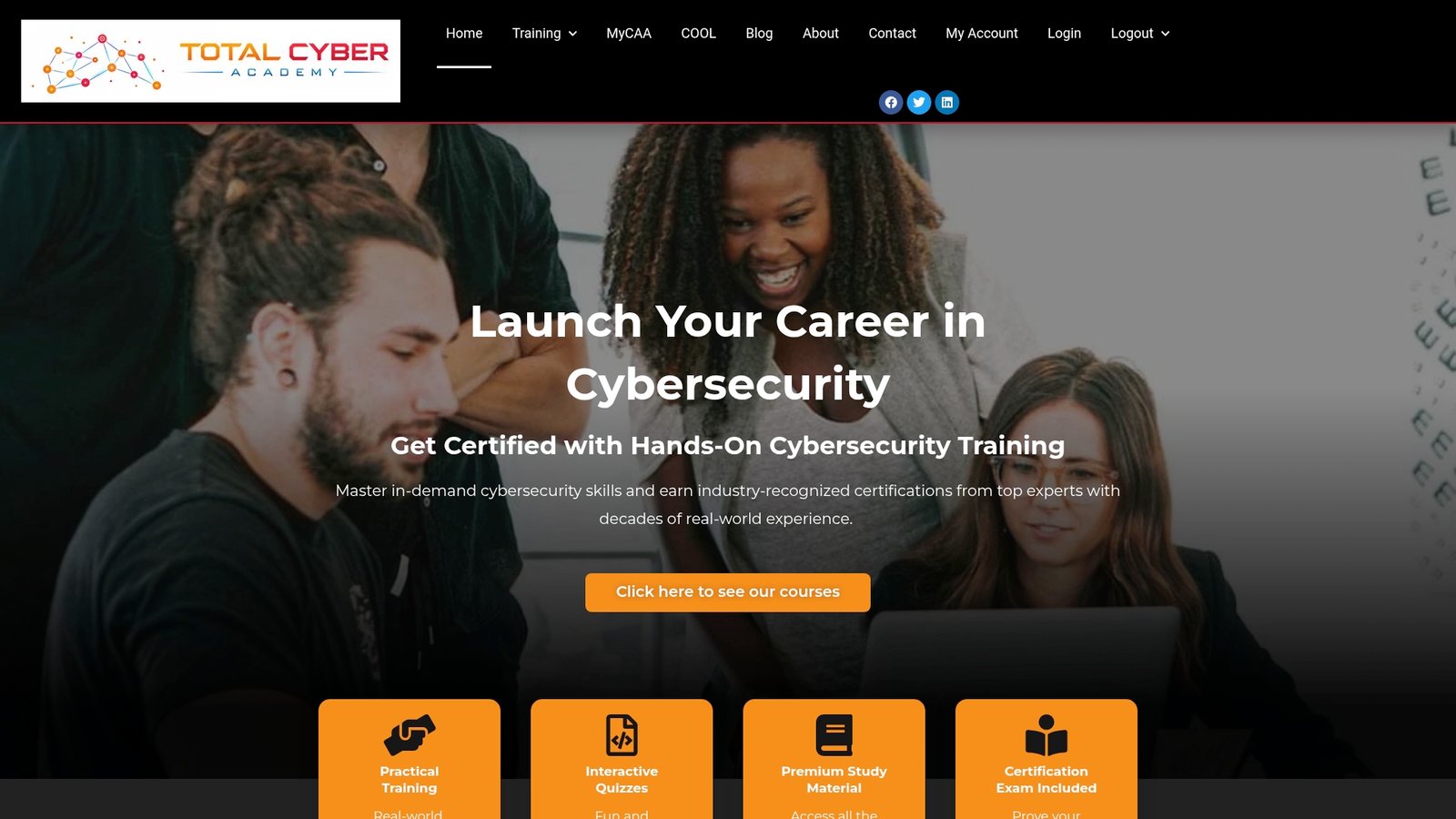
The programs suit a wide range of starting points. Career changers who need a credible, fast-moving path into cybersecurity or IT operations. Veterans transitioning their discipline and technical instincts into a civilian technology career. Complete beginners who want structured guidance instead of piecing together scattered free resources. Whatever your starting point, the beginner’s guide to what hands-on cybersecurity training actually covers walks through program formats, lab structure, and what to expect from certification preparation before you commit.
If you already know which certification you are targeting, check the prerequisites checklist to confirm you are ready to start, or visit the Total Cyber Academy homepage to see the full course catalog and enrollment options.
Sources
- The secret to a successful IT career development strategy | CIO
- What are career pathways? | Urban Institute Workforce Resources
Recommended
- CompTIA Courses by Total Cyber Academy – Total Cyber Academy!
- IT & Cybersecurity Certification Roadmap: Career-Ready Guide – Total Cyber Academy!
- Career Changer Cybersecurity Success Roadmap: 2026 Guide – Total Cyber Academy!
- The Role of Military Skills in IT: A 2026 Career Guide – Total Cyber Academy!