
Azure security is the combined set of controls, from datacenter locks to identity policies, that protect your data, applications, and infrastructure inside Microsoft Azure. It works on a defense-in-depth model: multiple overlapping layers so that if one fails, another catches the threat. If you’re starting today, do one thing first: turn on multifactor authentication (MFA) for every admin account and open Microsoft Defender for Cloud to check your secure score.
TL;DR:
- Starting with MFA enforcement and reviewing Defender for Cloud scores can significantly reduce initial security risks within days.
- Prioritizing identity layer security, such as enabling Conditional Access and strong authentication, is essential, as most breaches originate there.
- Configuring network controls like NSGs and locking down management ports should be your next focus to prevent exposed attack vectors.
- Regularly checking and testing encryption and backup recovery ensures data resilience against breaches and hardware failures.
- Building a structured, phased security plan and practicing in real labs will accelerate your expertise and compliance readiness.
Table of Contents
- Azure Security Basics: Defense-in-Depth and Zero Trust Explained
- What Does Azure Protect by Default vs. What You Must Configure?
- Shared Responsibility Model: Who Secures What in Azure
- Core Azure Security Services Every Beginner Should Know
- Your 30–90 Day Azure Security Checklist
- Building a Secure Landing Zone from Day One
- Your Azure Security Learning Path
- Compliance and Regulatory Considerations in Azure
- How Azure Logging and Auditing Work
- Secure DevOps Practices for Azure Environments
- A Trainer’s Perspective on Beginner Mistakes
- Structured Training for Building Real Azure Security Skills
- Sources
- FAQ
Azure Security Basics: Defense-in-Depth and Zero Trust Explained
Every serious Azure security strategy rests on two organizing ideas, and understanding them first will save you months of confused tinkering later.
Defense-in-depth means stacking independent security layers so a single mistake or exploit doesn’t compromise the whole environment. Microsoft structures this around physical, network, compute, application, and identity layers, each covering the stack from the datacenter floor up to the code running inside your apps. A firewall rule failing doesn’t matter much if your identity layer still blocks the attacker’s stolen credentials. A weak password doesn’t matter as much if network segmentation keeps the attacker from reaching anything valuable.

Zero Trust builds on that same logic with three working principles: verify explicitly, use least privilege access, and assume breach. Instead of trusting anything inside your network perimeter by default, Zero Trust treats every request, whether it originates from an office laptop or a phone in another country, as unverified until proven otherwise. Microsegmentation, a related concept, breaks your network into small zones so lateral movement stops even after a breach.
Here’s how those abstract layers map onto real Azure tools:
- Identity layer → Microsoft Entra ID with Conditional Access policies that evaluate user, location, and device risk before granting access
- Network layer → Network Security Groups (NSGs) and Azure Firewall controlling traffic in and out of subnets
- Data layer → encryption at rest paired with Azure Key Vault for key and secret management
- Compute layer → disk encryption and Trusted Launch settings on virtual machines
Pro Tip: Don’t try to build all five layers at once. Start with identity, since most cloud breaches begin with compromised credentials, then work outward to network and data controls.
If Zero Trust feels abstract right now, a hands-on primer like 5 Pillars of Zero Trust Basics walks through building the concept in a home lab, which sticks far better than reading policy documents.
What Does Azure Protect by Default vs. What You Must Configure?
New Azure users often assume the platform handles everything. It handles a lot, but not everything, and knowing the line between the two prevents dangerous blind spots.
Microsoft automatically provides several protections the moment you spin up a resource. Encryption at rest is enabled by default for Azure Storage and Azure SQL Database, so data sitting on disk is already scrambled without you lifting a finger. Basic DDoS protection also runs automatically across the platform, absorbing common volumetric attacks before they reach your resources. Underneath all of it, Microsoft secures the physical hypervisor and host layer through measures like UEFI secure boot, measured boot, and firmware attestation, which verify that the underlying hardware hasn’t been tampered with.
None of that touches the decisions that are entirely yours to make:
- Configuring identity roles, MFA enforcement, and Conditional Access rules
- Writing NSG rules that restrict which ports and IP ranges can reach your resources
- Deciding whether to use customer-managed keys instead of Microsoft-managed ones in Key Vault
- Scheduling backups and testing that recovery actually works
Checking whether these protections are active takes only a few clicks. Go to your Storage account or SQL database’s Encryption blade to confirm encryption status, and check the DDoS Protection tab under a virtual network’s overview to see whether you’re on the free Basic tier or need Standard tier for a public-facing application that’s an attractive target.
Shared Responsibility Model: Who Secures What in Azure
Cloud security splits duties between Microsoft and you, and the split shifts depending on the service model you’re using. Getting this wrong is one of the most common reasons beginners leave gaps.
In every model, Microsoft owns the physical datacenter, the host hypervisor, and network infrastructure. From there, your responsibility grows as you move down the stack from SaaS to IaaS:
- SaaS (e.g., Microsoft 365): Microsoft manages almost everything except your identity settings and data governance choices.
- PaaS (e.g., Azure SQL Database, App Service): Microsoft patches the underlying platform and manages encryption; you own application code, data classification, and access configuration.
- IaaS (e.g., virtual machines): You own the operating system, patching, endpoint protection, and network configuration on top of Microsoft’s hardware and virtualization layer.
If you’re running anything on an IaaS virtual machine, secure these first: OS patching schedules, local admin credentials, network security group rules, and disk encryption. Skip any one of these and you’ve left the door open regardless of what Microsoft secures underneath.
Core Azure Security Services Every Beginner Should Know
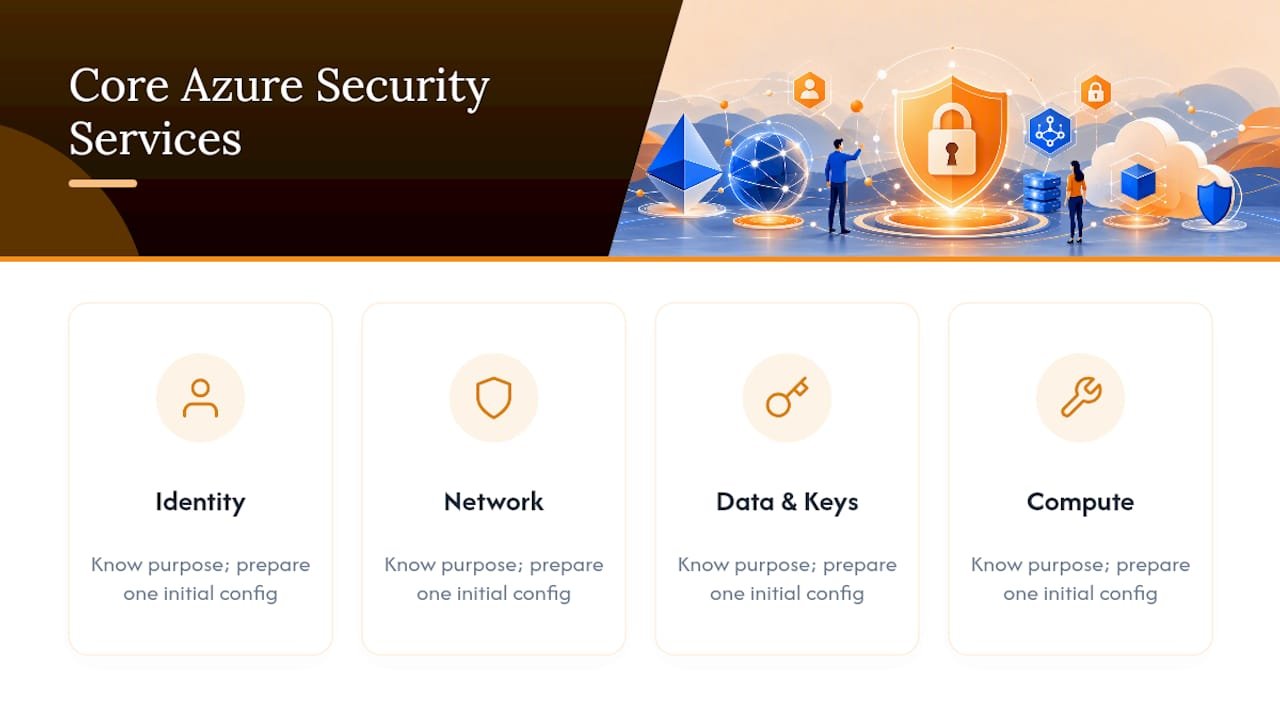
Azure’s security tooling spans five practical categories. You don’t need to master all of them simultaneously, but you should know what each one does and have a first configuration step ready.
Identity: the front door to everything
Microsoft Entra ID is Azure’s identity and access management service, handling authentication, single sign-on, and Conditional Access policies. Role-Based Access Control (RBAC) determines what an authenticated user can actually do once they’re in. Multifactor authentication adds a second verification step, typically a phone prompt or authenticator app, that stops most credential-stuffing attacks cold.
Starter action: enforce MFA for every account holding a privileged role, starting with Global Administrator. This single change closes the door most attackers try first.
Network: controlling traffic flow
Network Security Groups filter traffic at the subnet or network interface level using simple allow/deny rules. Azure Firewall sits above that as a managed, stateful firewall, with Premium tier adding TLS inspection and intrusion detection for organizations facing more sophisticated threats. A Web Application Firewall (WAF) protects public-facing web apps from common exploits like SQL injection. Azure DDoS Protection comes in a free Basic tier and a paid Standard tier with adaptive tuning for internet-facing resources. Azure Private Link, meanwhile, lets you reach platform services over a private connection instead of the public internet.
Starter action: review your existing NSG rules and lock down management ports, particularly RDP (3389) and SSH (22), so they aren’t exposed to the open internet. For a deeper walkthrough of how these pieces fit together, networking fundamentals for cybersecurity is worth the time.
Data and keys: protecting what matters most
Azure Key Vault centralizes secrets, certificates, and encryption keys instead of leaving them scattered across configuration files and scripts. It even supports FIPS 140-validated hardware security modules for organizations with strict compliance needs. Encryption at rest and in transit protects data whether it’s sitting on disk or moving across the network, and customer-managed keys give you direct control over key rotation and revocation instead of relying solely on Microsoft-managed defaults.
Starter action: move any secrets currently sitting in app settings, code, or scripts into Key Vault.
Compute and workload protections
Trusted Launch adds secure boot and virtual TPM protections to standard VMs at no extra cost. Confidential VMs take it further, encrypting data even while it’s being processed in memory, which matters for highly sensitive workloads. Azure Disk Encryption protects the OS and data disks attached to your virtual machines.
Starter action: enable disk encryption on every production VM before it goes live, not after.
Monitoring and detection: knowing when something’s wrong
Microsoft Defender for Cloud combines Cloud Security Posture Management (CSPM) with workload protection, and its secure score gives you a single number to track improvement over time. Microsoft Sentinel functions as a cloud SIEM and SOAR platform, centralizing telemetry and running machine learning detection and automated playbooks across your environment. Entra ID Protection flags anomalous sign-in behavior before it becomes a breach.
Starter action: turn on Defender for Cloud’s free tier and check your secure score today. Tracking that number before and after each configuration change is the clearest way to see whether your work is actually reducing risk.
Your 30–90 Day Azure Security Checklist
Security in Azure isn’t a weekend project. It’s a sequence, and the order matters more than the speed.
Days 0–7: Stop the bleeding
- Enable MFA for every admin and privileged account.
- Open Defender for Cloud and record your current secure score as a baseline.
- Audit your Global Administrator list and remove anyone who doesn’t need standing access.
- Turn on diagnostic logging for your subscriptions and key resources.
Weeks 2–6: Build the baseline
5. Apply an NSG baseline that blocks unused inbound ports across all subnets.
6. Onboard Azure Key Vault and migrate secrets out of code and config files.
7. Enable built-in Azure Policy definitions that flag noncompliant resources automatically.
Weeks 6–12: Operationalize
8. Centralize logs into Log Analytics so you have one place to search, not a dozen scattered resource logs.
9. Set up alerting rules tied to specific risk conditions, and write a basic incident runbook so nobody is improvising during a real event.
10. Review backup schedules and actually test a restore, since an untested backup is a guess, not a plan.
Governance, running alongside all three phases:
11. Stand up a minimal landing zone that separates management resources from production workloads.
12. Enforce resource tagging and a small set of Azure Policy assignments so new resources inherit your baseline automatically instead of drifting from it.
Pro Tip: Rerun your Defender for Cloud secure score at the end of each phase. Watching the number climb from your Day 0 baseline is the clearest signal your checklist is working, not just busywork.
For a more detailed version of this exact sequence, built specifically for people trying to land an entry-level cloud role, 90 Day Cloud Security Basics walks through it step by step. And once your baseline is in place, running a basic security audit at home against your own configuration is a good way to catch what the checklist missed.
Building a Secure Landing Zone from Day One
A landing zone is a preconfigured environment, subscriptions, networking, identity, and policy, that new workloads land into instead of getting deployed into a blank, ungoverned subscription. Skipping this step is why so many small Azure environments turn into an unmanageable sprawl within a year.
The core principle is separation. Management resources, like logging and identity administration, should sit apart from production workloads so that a mistake in one doesn’t cascade into the other. Practically, this means:
- Using management groups to organize subscriptions into a logical hierarchy instead of one flat list
- Separating workloads into distinct subscriptions by environment (production, development, testing) or by business unit
- Applying a small set of Azure Policy definitions from the start rather than retrofitting rules onto existing resources later
Automation makes this sustainable. Deploying infrastructure through ARM templates or Bicep, Microsoft’s more readable infrastructure-as-code language, means every new resource inherits your security baseline automatically. Azure Blueprints and Policy-as-Code push those same standards across subscriptions without manual repetition, and continuous validation through automated policy and secure score tracking keeps configurations from silently drifting out of compliance over time.
Your Azure Security Learning Path
Learning Azure security works best as a sequence, not a sprint through documentation. Start with identity concepts and hands-on labs in Microsoft Entra ID, then move into networking fundamentals (NSGs, firewalls), then layer in monitoring with Defender for Cloud. Each stage builds directly on the last.
Course format matters more than most beginners expect. Self-paced, on-demand training fits learners juggling a job or family schedule who need to study in short, flexible sessions. Instructor-led formats fit people who learn faster with structured pacing and direct access to a mentor when a lab configuration breaks at 11 p.m. Neither format is universally better. The right one depends on how you actually learn.
Certification milestones give the sequence structure. Working toward CompTIA Cloud+ or Security+ forces you to touch the concepts covered above, identity, network segmentation, encryption, in a hands-on lab environment rather than passive reading, which is exactly what hiring managers want to see on a resume alongside the credential itself. For a broader view of how these formats and milestones fit together, Cybersecurity Training Explained breaks down the full landscape for newcomers.
Compliance and Regulatory Considerations in Azure
Azure security decisions rarely happen in a vacuum. Most organizations, even small ones, eventually need to demonstrate that their configuration meets some external standard, whether that’s a client contract requirement, an industry regulation, or an internal audit.
The Azure Security Benchmark is the most useful starting point for beginners because it maps Azure-specific controls directly to established frameworks including CIS Controls v8 and PCI-DSS v3.2.1. Instead of trying to interpret a generic compliance standard and guess how it applies to Azure, ASB gives you the Azure-specific guidance already translated into concrete settings and recommendations. That mapping alone saves weeks of research for someone new to the platform.
Regulatory scope depends heavily on your industry and the type of data you handle. Healthcare data typically triggers HIPAA-related considerations, payment processing triggers PCI-DSS, and organizations serving European customers often need to account for GDPR’s data protection requirements. Azure provides compliance documentation and certifications for many of these frameworks, but the certification of the underlying platform never removes your own responsibility to configure it correctly. Microsoft Defender for Cloud includes regulatory compliance dashboards that track your resources against specific standards, giving you a running scorecard instead of a one-time checklist you fill out and forget.
Treat compliance as a byproduct of good security practice, not a separate project. If you’ve followed the ASB control families for identity, network, and data protection, most regulatory requirements are already substantially covered.
How Azure Logging and Auditing Work
You can’t investigate what you didn’t log, and this is where a surprising number of otherwise well-secured environments fall apart. A breach with no logs is a breach you’ll never fully understand.
Azure Monitor collects performance and diagnostic data across your resources, while Azure Activity Log records every subscription-level operation, who created a resource, who changed a firewall rule, and exactly when it happened. Diagnostic settings determine whether resource-specific logs, like storage access logs or SQL audit logs, actually get captured, and this setting is not on by default for most resources, which catches a lot of beginners off guard.
Log Analytics workspaces centralize all of that data into one searchable location instead of forcing you to check a dozen separate resource blades during an investigation. Microsoft Sentinel builds on top of that centralized data, applying detection rules and machine learning models to flag suspicious patterns automatically rather than requiring someone to manually scan logs line by line.
A practical starting point: enable diagnostic settings on every resource that touches sensitive data or sits on the network perimeter, route those logs into a single Log Analytics workspace, and set retention long enough to support an investigation that starts weeks after the actual incident. Thirty days is a common minimum; regulated industries often need longer.
Secure DevOps Practices for Azure Environments
Fast deployment pipelines and strong security aren’t opposing goals, but they only stay aligned when security gets built into the pipeline itself instead of bolted on afterward.
DevSecOps, the practice of embedding security checks directly into CI/CD pipelines, catches problems before they reach production rather than after an attacker finds them. In Azure DevOps or GitHub Actions pipelines, that means scanning infrastructure-as-code templates for misconfigurations before deployment, running dependency checks against known vulnerabilities in your application libraries, and storing pipeline secrets in Key Vault rather than hardcoding them into YAML files where anyone with repository access can read them.
Policy-as-Code extends this discipline further. Instead of manually reviewing whether a new resource complies with your security baseline, Azure Policy definitions attached to your pipeline block noncompliant deployments automatically, before they ever become a running resource someone has to remediate later. This is the same governance principle behind a landing zone, just applied earlier in the process.
Managed identities deserve particular attention here. Instead of embedding a username and password into an application or pipeline script, a managed identity lets an Azure resource authenticate to other Azure services without any credential ever being stored or exposed. For beginners building their first automated deployment, replacing hardcoded credentials with a managed identity is one of the highest-value changes available, and it takes less time to configure than most people assume.
A Trainer’s Perspective on Beginner Mistakes
The most common mistake isn’t a missing firewall rule. It’s assuming Azure’s defaults are enough, then never checking identity governance until something breaks. Beginners also chronically underinvest in logging, so when an incident happens, there’s nothing to investigate.
Practice in a real lab, not just documentation. Map every control back to confidentiality, integrity, and availability, and run at least one incident drill before you need one for real. Track your secure score over time and keep a small portfolio of deployments you’ve actually secured yourself. That portfolio will matter more in an interview than any single certification badge.
— Alden
Structured Training for Building Real Azure Security Skills
Reading documentation gets you vocabulary. Hands-on labs get you hired. Totalcyber is built on that distinction, pairing every certification objective with practical lab work instead of exam-cram theory, so what you practice is what employers actually expect you to do on day one.

If Azure and cloud security specifically are your target, the CompTIA Cloud+ On-Demand Course covers cloud architecture, security, and operations self-paced so you can move through labs on your own schedule. Want a broader security foundation first? The CompTIA Security+ 701 On-Demand Course builds the identity, network, and encryption fundamentals this article covered, in a structured lab environment. For learners ready to commit to a full career track rather than a single exam, the Cloud Engineer Program pairs multiple certifications with mentorship from cybersecurity professionals. Totalcyber’s programs are built for beginners, career changers, and veterans specifically, with extra instructor support built in rather than treated as an upsell. Browse the full course catalog and pick your starting point today.
FAQ
What Are the Layers in Azure’s Defense-in-Depth Model?
Azure’s defense-in-depth model covers physical, network, compute, application, and identity layers, with data protection woven through all of them. Each layer acts as a backup if another fails, so a single misconfiguration rarely leads directly to a breach.
What Are the Basic Security Principles Every Beginner Should Know?
The core principles are least privilege access, continuous verification instead of implicit trust, encryption of data at rest and in transit, layered controls across network and identity, and constant monitoring for anomalies. These map directly to Zero Trust and defense-in-depth, the two models covered earlier in this guide.
What Are the Best Security Practices for a New Azure Tenant?
Start by enforcing MFA on every privileged account and checking your Defender for Cloud secure score as a baseline. From there, follow the Azure Security Benchmark control families for network, identity, and logging, since it’s the prescriptive standard Microsoft itself maps to industry frameworks like CIS Controls v8.
What Are the Main Pillars of Cloud Security?
Most frameworks group cloud security into identity and access management, network security, data protection, monitoring and threat detection, and governance or compliance. Azure’s own service catalog maps cleanly onto these five: Entra ID for identity, NSGs and Firewall for network, Key Vault and encryption for data, Defender for Cloud and Sentinel for monitoring.
How Long Does It Take to Learn Azure Security Basics?
A committed beginner can build working knowledge of identity, network, and monitoring fundamentals in 8 to 12 weeks with regular hands-on lab practice. Structured programs, like those in Totalcyber’s training catalog, compress that timeline by combining certification objectives with guided labs instead of unstructured self-study.